How It Works

Six steps from paper logbooks to a scored, searchable maintenance record

1. Capture

Open Airworthy on your phone and snap photos of your logbook pages—no scanner or special equipment needed. Every image is stored at full resolution so nothing is lost in the process. Work at your own pace: capture a few pages at a time, or bulk upload from your photo gallery
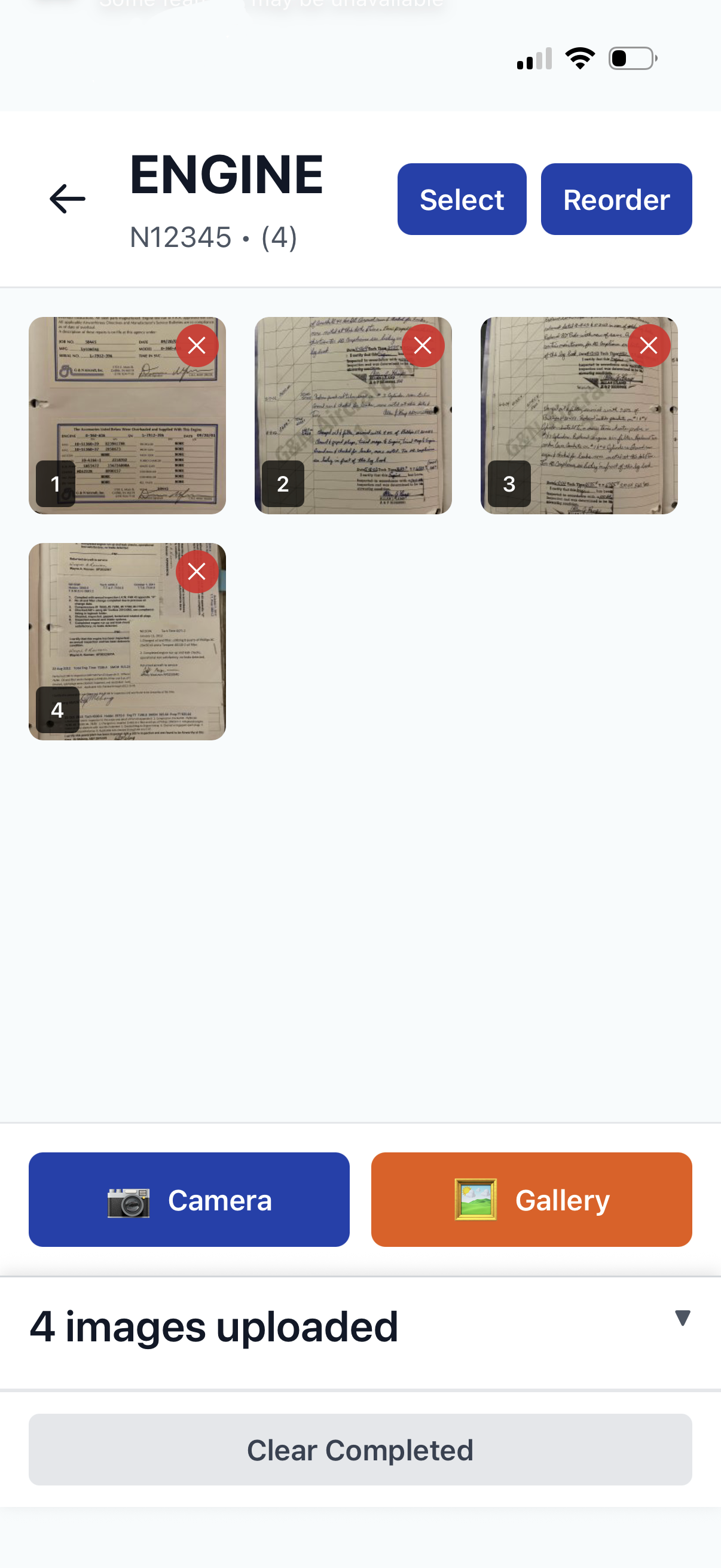
Airworthy logbook detail screen showing captured logbook pages

2. Organize

Your pages are organized by aircraft and logbook type—propeller, airfame, or engine. No manual file management or folder naming required. Airworthy handles the structure so you can focus on capturing, whether you have 50 pages or 5,000. And yes, we support "Left" and "Right" engines
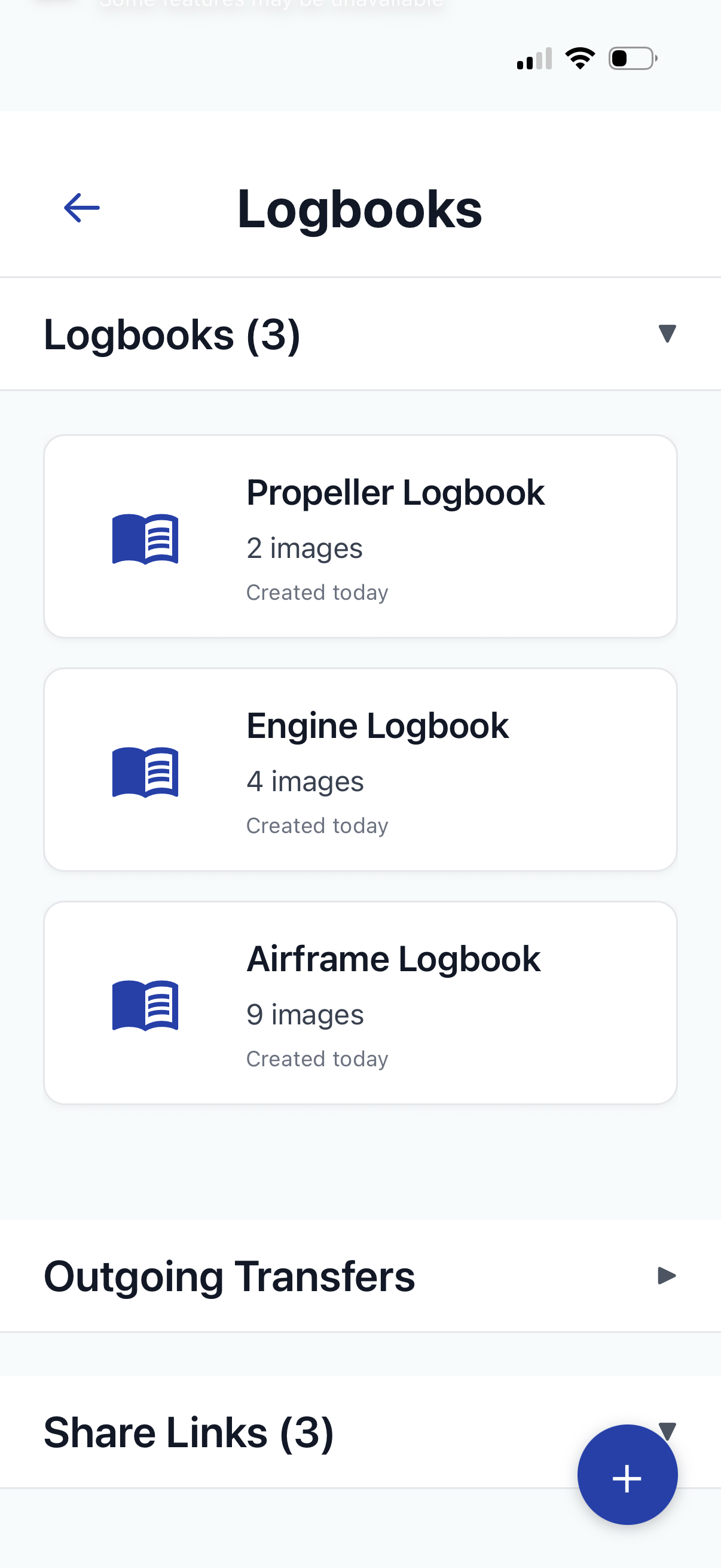
Airworthy organized logbooks screen

3. Read

After each upload, Airworthy automatically extracts the text from every page—tach time, hobbs time, entry dates, work descriptions. You can search across your entire logbook history in seconds. Find "oil change" or "annual inspection" across 500 pages without touching a single one.
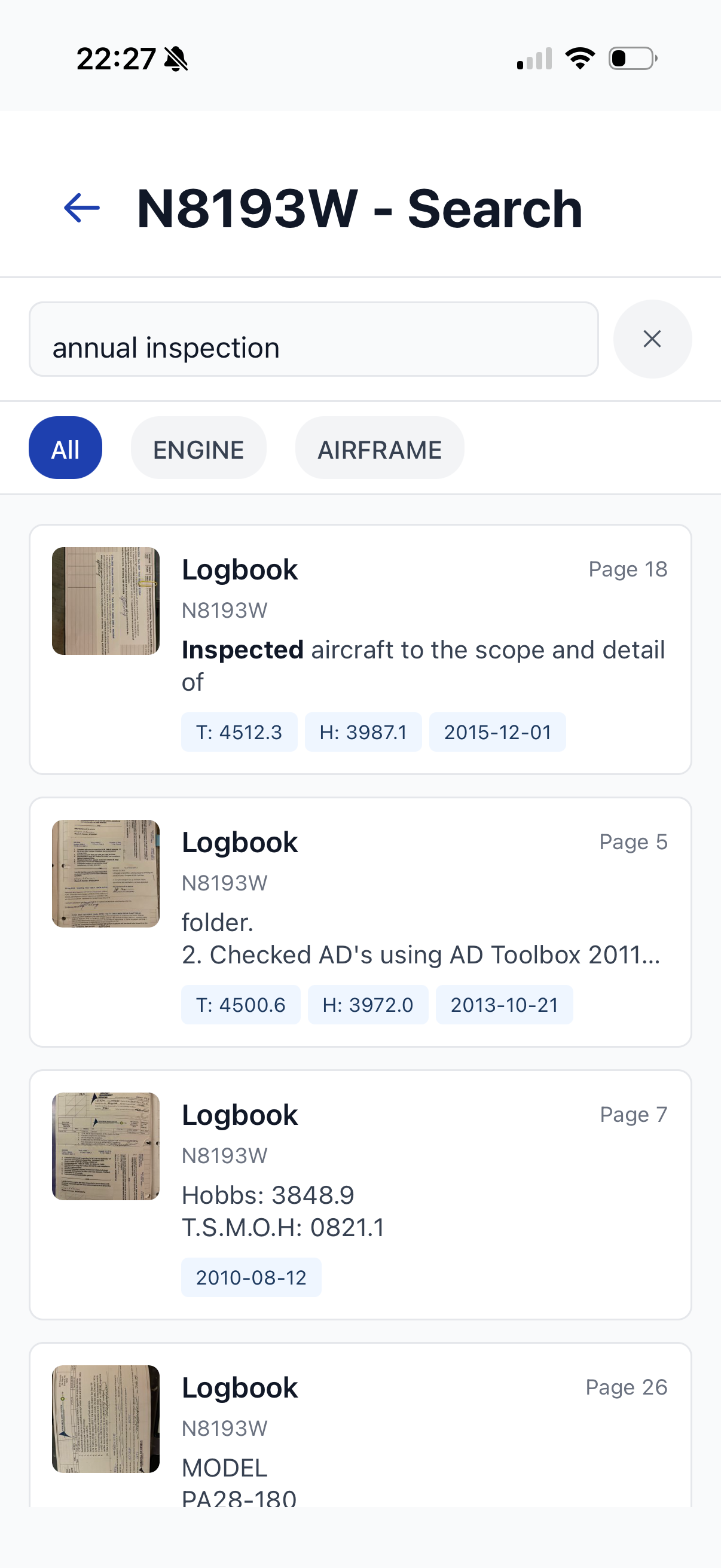
Airworthy search results showing annual inspection matches across logbook pages

4. Track

Airworthy turns your raw logbook data into maintenance awareness. See how many hours since your last oil change. Track your annual inspection, ELT check, transponder test, and other compliance items with due-date countdowns. Each inspection links back to the exact logbook page that signed it off. All of this data feeds into your Airworthy Score — a 0-100 rating of your aircraft's record health.
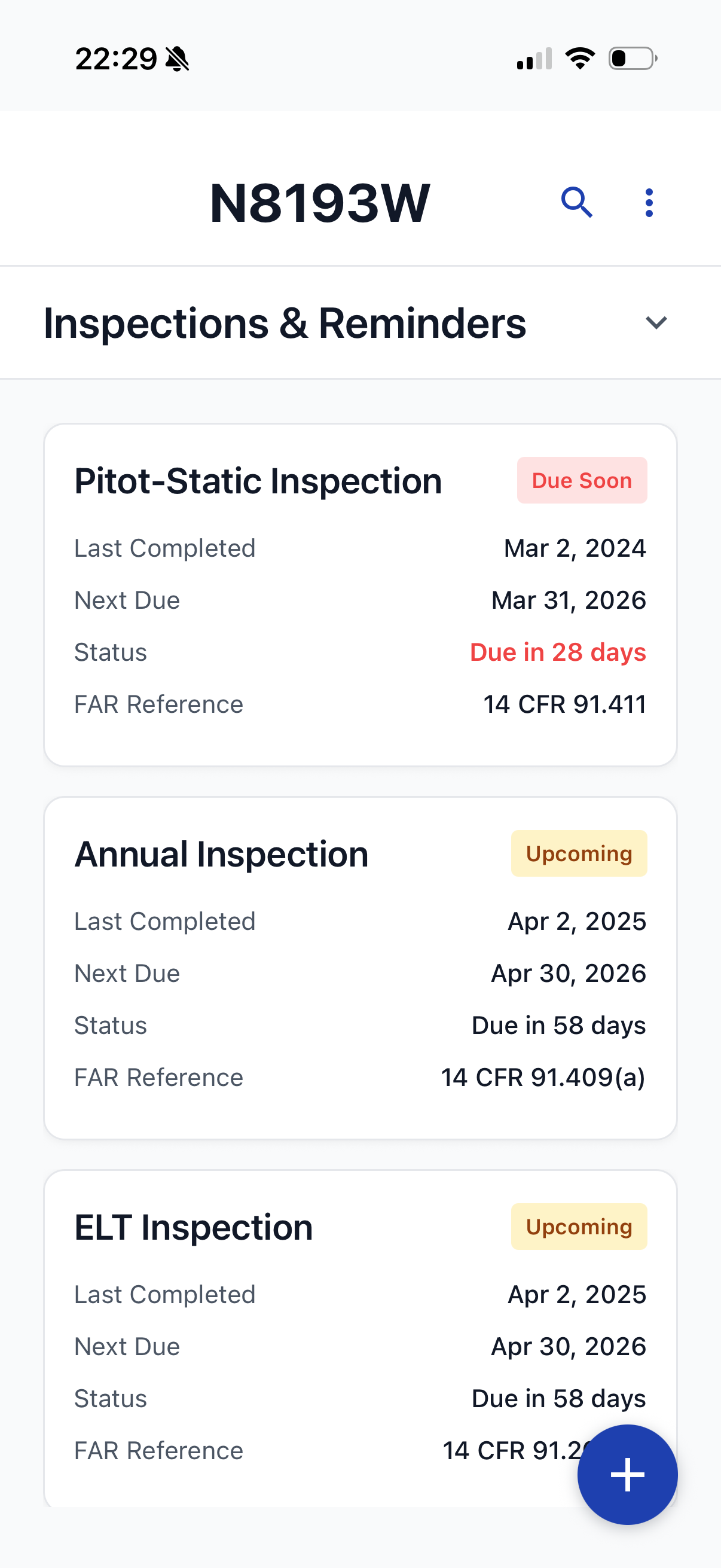
Airworthy inspections screen showing status cards with days remaining and compliance tracking

5. Share

Generate a secure, expiring link—or download a QR code—and share it with buyers, mechanics, insurance, or lenders. Recipients don't need an Airworthy account—they just scan or click and view. You'll see exactly who opened the link, how many times they viewed it, and when. Every share link includes your Airworthy Score and a professional infographic card summarizing your aircraft's record health.
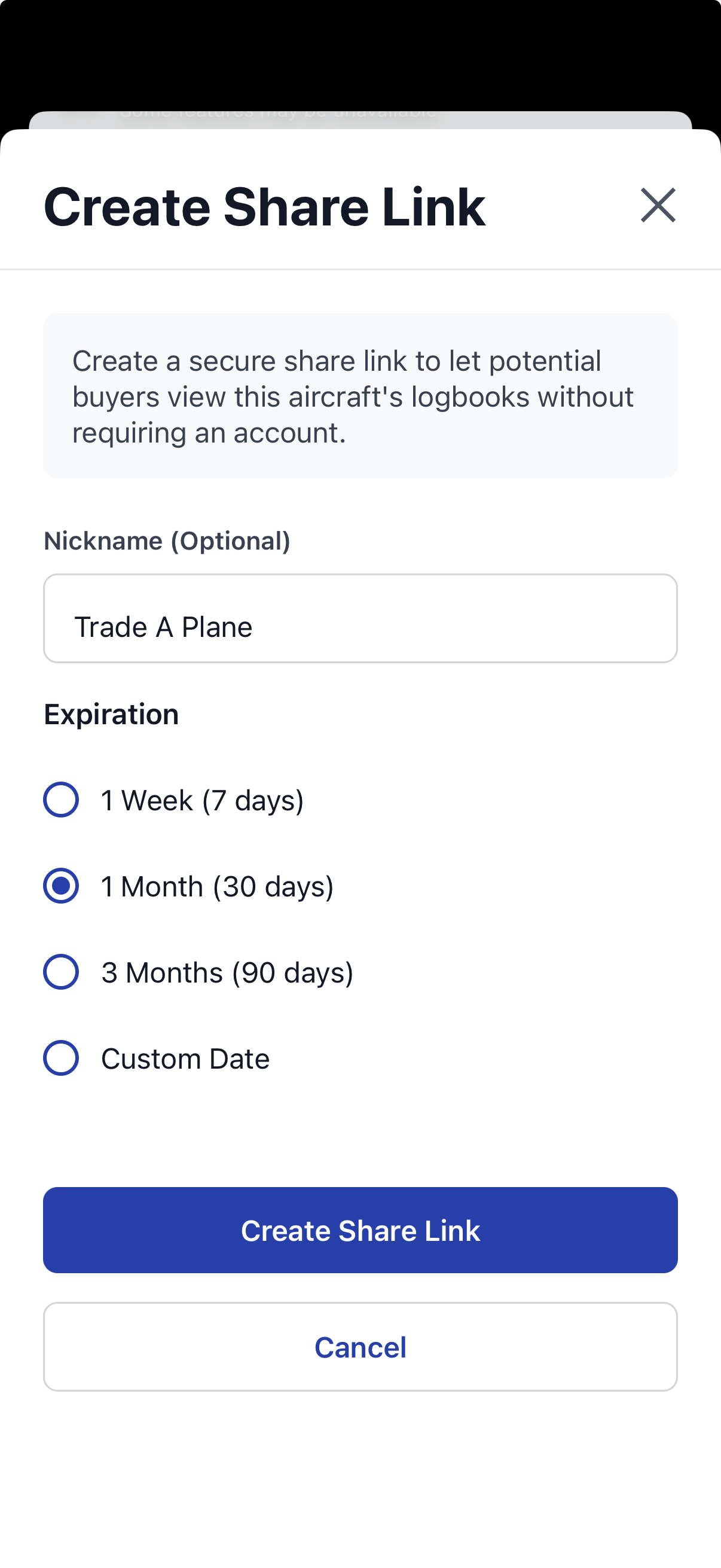
Airworthy share link creation screen

6. Transfer

When the sale closes, transfer the complete digital record to the new owner with a single request. The buyer gets their own Airworthy account with everything already organized. Your logs become a selling point—not a last-minute scramble.
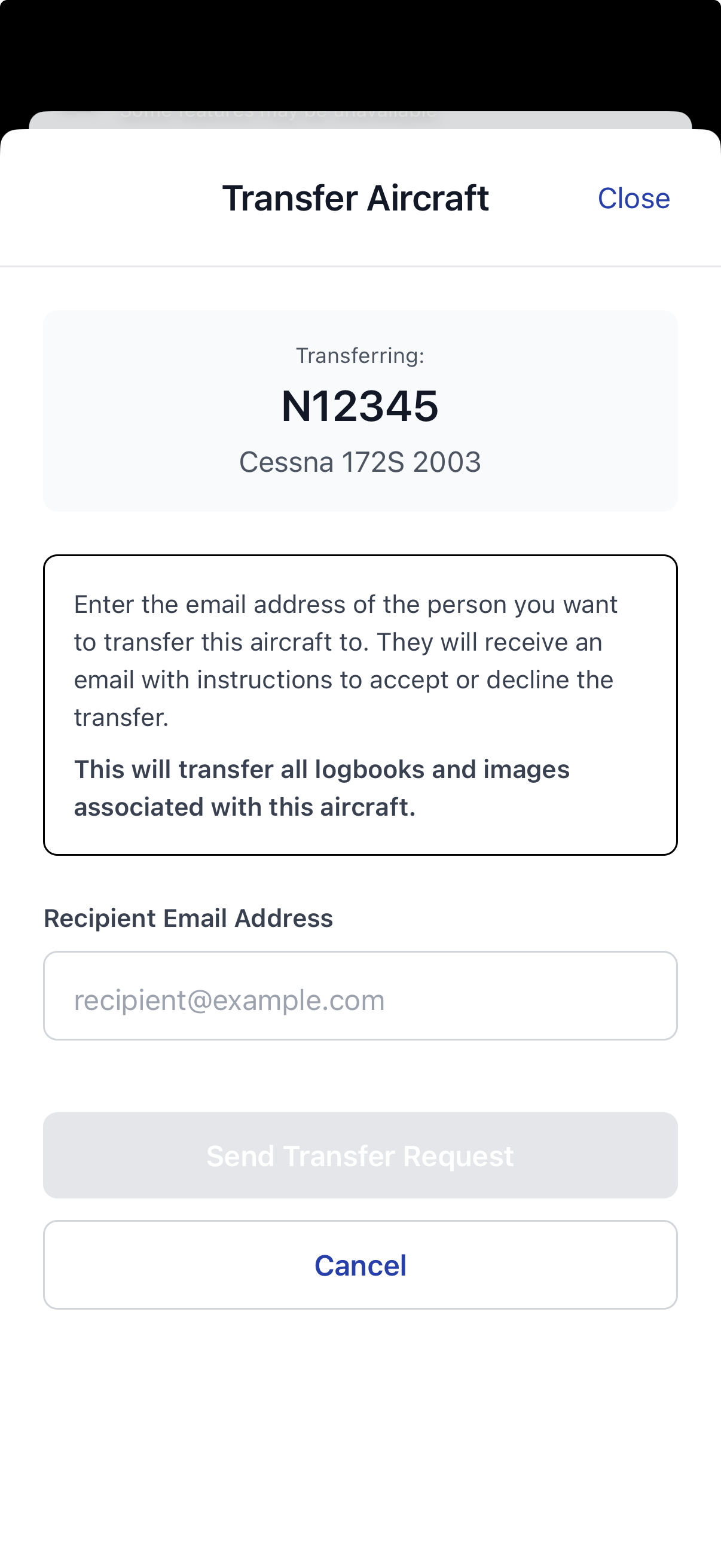
Airworthy transfer aircraft screen showing tail number and recipient email

When You'll Use Airworthy

Pre-Buy Inspections

Share complete logs digitally so buyers and A&Ps can review everything remotely. Qualify buyers early and avoid surprises.

Insurance Renewals

Send your logs to your insurance company with a single link. No more scanning hundreds of pages or mailing copies.

Selling Your Aircraft

Make your logs a professional selling point. Track buyer engagement and know who's seriously interested.

Peace of Mind

Sleep better knowing your logs are backed up in the cloud. If the originals are lost or damaged, you're covered.

Loan Applications

Banks and lenders need log access. Share everything they need instantly and professionally.

A&P Coordination

Give your mechanic access to specific logs without handing over the originals. Revoke access anytime.

Annual Inspection Coming Up

Before you call the A&P, check your inspection card. Airworthy shows exactly when your last annual was done, which logbook page has the sign-off, and how many days until the next one is due.

Tracking Your Oil Changes

Airworthy reads your engine logbook and automatically identifies oil change entries. See your average interval, your last change date, and how many hours ago it was—without digging through pages.

Searching Your History

Type "magneto" or "cylinder" into Airworthy search. It scans every page of every logbook and returns the entries that match—with the context around the match. Useful when you need to know what was done and when.

Checking Your Airworthy Score

Open Airworthy and see your current score at a glance. Drill into each of the four categories — Aircraft Profile, Log Completeness, Maintenance Consistency, and Inspection Status — to see what's strong and what needs attention.